
 Skip to content
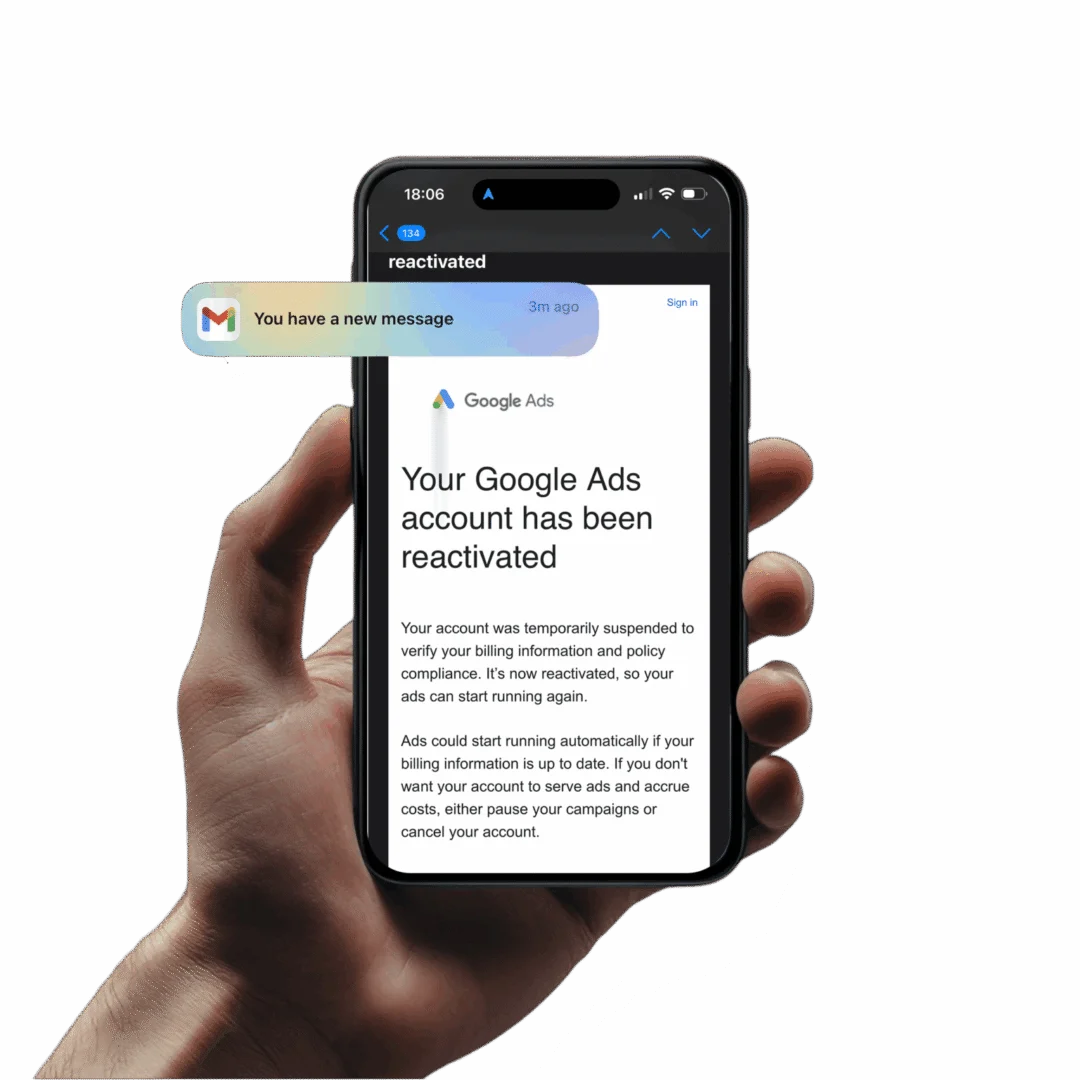
If your Google Ads account has been suspended, there is no button marked “reactivate”. Reactivation is not an action you take. It is something Google does, and you find out it has happened because an email arrives telling you your account has been reactivated. What you can do is one of three things: submit a formal appeal, pay what you owe, or complete a verification you have been asked for. Working out which of those three applies to you is most of the job, and getting it wrong costs weeks.
The two words get used as though they mean the same thing. They do not, and the confusion is expensive.
An appeal is a detailed submission sent directly to Google, supported by evidence, addressed to the specific policy that has been infringed. It is a document you write. It is the request.
Reactivation is when the account is actually reinstated by Google. You get an email saying your account has been reactivated. That is the outcome, and it is entirely Google’s decision. Google’s own suspensions documentation is blunt about the standard being applied: “Accounts are only reinstated in compelling circumstances, such as in the case of a mistake, so it’s important that you take the time to be thorough, accurate, and honest.”
Read that sentence twice. “Compelling circumstances” is not a formality. A short message saying you have fixed everything and would like the account back is not compelling, and it is what most first attempts look like.
You are not under an immediate deadline. Google states that “All advertisers have at least 6 months from the date of account suspension to submit an appeal.” But the account is dark for every day of that window, so the real clock is your cash flow, not Google’s.
Before you write anything, be certain what has actually happened to the account. A suspension is not the same thing as a paused account, a disapproved ad, or a spending restriction, and each has a different remedy. Ad Restore Ltd sets out the separate enforcement states, and how to tell which one you are in from the notification you were given, in why is my Google Ads account suspended. Some of them arrive with no warning at all: “If we detect an egregious violation, we will suspend your Google Ads accounts immediately without prior warning.”
Not every suspended account needs an appeal. Two of the most common reasons for losing an account have a direct fix, and if one of them is your situation, writing a policy appeal is the wrong move.
If the account went down over money owed to Google, you pay it. Google’s instruction is exactly that: “If the reason for suspension is due to unpaid invoices, you’ll need to pay the invoices right away.” The invoices are in the account under the Billing icon, then Invoices overview, then the Overdue category in the Invoice status column.
Most accounts come back on their own once payment clears. Google’s guidance covers the case where that does not happen: “If you have paid all overdue monthly invoices, but your account still hasn’t been reactivated 48 hours after the payment is received, email collections@google.com.”
It is often worth contacting Google directly in any case, to tell them why the late payment happened. An expired card, a bank block, a change of finance staff. A short, honest explanation costs nothing.
Related, but not the same thing, is suspension for payment risk rather than debt: “If your account has unpaid balances or if we have concerns about your ability to make future payments due to payment method issues or declined payments, your account may be suspended.” There the remedy is a working payment method, and sometimes verification of it.
The second non-appeal route is verification. It is also where most people do themselves real damage.
Sometimes the account is not being punished at all. Google says: “In some cases, Google Ads will pause your account until you complete advertiser verification.” Complete the tasks properly and the account comes back. There is nothing to argue about.
The distinction that matters is between the two kinds of verification.
Standard advertiser identity verification asks who you are. A D-U-N-S number if you are a registered company in the UK, or corporate information, company documents and identification. It is straightforward and simple. Most advertisers can do it themselves and should.
Business operations verification is a different exercise entirely. It asks what your business actually does, how it makes money, who it works with, and how the company, the site and the advertising connect to one another. It takes a lot more work. More detail, more evidence, more linking of one thing to another. In practice it is a formal appeal in everything but name.
Getting it wrong does not simply mean failing and trying again. If the information you provide does not match your real operation, Google treats that as deception: “Submitting false info will be a violation of the Circumventing systems policy and result in the suspension of your account.” Where answers are inadequate rather than untrue, “If Google Ads can’t verify your business operations after reviewing your answers, you’ll get an email and an in-account notification with details about the issue.”
Mishandled business operations verification is one of the routes into an Unacceptable Business Practices suspension, and that is a much harder position to be in. The problem is no longer a missing document. Google has decided that the information misrepresents the business, and the appeal now has to answer that charge. The way to avoid it is to collect appropriate information before you submit anything, and to make sure it genuinely links to the real business. What the correct documents are is specific to the business itself, which is why no template exists for this. We go through what Google asks for, and how the answers are assessed, in our guide to Google Ads advertiser verification.
The common thread is that none of these are really about wording. They require knowing how Google’s systems relate to each other, which policy has actually been applied to you rather than which one you assume, and what evidence Google will accept against that specific policy. Somebody not familiar with those systems will not be able to do it, however carefully they write.
This is worth understanding before the email arrives, not after.
Reactivation means you are back on Google. It does not mean Google trusts you outright just because a suspension was lifted.
Three things follow from that.
The account is still vulnerable. A freshly reinstated account can be re-suspended within a short period if it is still in violation. Whatever caused the original enforcement has to be genuinely gone from the account, the site and the business, not merely argued away. That first period after the account comes back is the one that needs watching, which is why every service includes 14 days of post-reinstatement support rather than treating the reinstatement email as the end of the matter.
You still have to get back into billing cycles. Payment methods, thresholds and invoicing do not simply resume as they were. That side of the account needs putting back in order.
It will not improve your performance. Reinstatement restores access. It does not make the account work better than it did before it went down. That is a separate discipline, handled by an agency that does PPC management. Anyone who tells you a successful appeal will also lift your results is selling you two different jobs as one.
Ad Restore Ltd is a Scottish registered company (SC825525) with its registered office in Dumfries. The appeals are written by the director, Gianluca Catinella, who does the work himself rather than passing it to a team.
We never ask for your Google Ads password. Access is arranged by linking your account to our agency manager account using nothing but your Google Ads customer ID, which you can revoke at any time. Each service has a fixed price, paid up front, from £300 to £800 depending on the suspension type. If your account isn’t reinstated after up to 3 appeals, you get a 50% refund. Every price and the refund conditions are on our prices and refunds page.
We also decline between 20 and 30 per cent of the enquiries we receive. If the account is not recoverable, or if the underlying business genuinely conflicts with Google’s policies, we say so at the outset instead of taking the case. Reinstatement is always Google’s decision, and nobody outside Google can promise it. What can be promised is that the appeal is aimed at the right policy, supported by the right evidence, and sent once, properly.
If you would like to talk through which of these situations you are actually in, you can book a consultation.
An appeal is the request — a detailed submission sent to Google, supported by evidence, addressed to the specific policy infringed. Reactivation is the outcome: Google reinstates the account and emails you to say so.
Standard advertiser verification, overdue invoices and many suspicious payment suspensions can be handled by the advertiser. Business operations verification, Circumventing Systems, Unacceptable Business Practices and Merchant Center suspensions generally cannot.
No. Reactivation means you are back on Google. The account remains vulnerable and can be re-suspended within a short period if it is still in violation. You also have to re-establish billing cycles, and reinstatement does not improve performance.

We use strictly necessary cookies to run this site. With your permission we also use analytics (Clicky and Google Analytics) to see how the site is used, and Google Ads measurement to know which adverts lead to enquiries. Nothing else is switched on until you choose. Privacy and cookie details
Choose what we may use in this browser. You can come back and change this at any time. Privacy and cookie details
Your browser sent a Global Privacy Control signal, so analytics and advertising are off unless you turn them on here.
Keeps the site working, remembers your cookie choices and protects against automated traffic. Always on.
Helps us understand how visitors use the site and which pages and campaigns work: Clicky (no cookies, anonymised IP address) and Google Analytics.
Lets Google measure whether visits from our adverts lead to enquiries or bookings. No advertising audiences or personalised ads are built from this site.
Your choice is kept for 6 months in this browser. Change it any time via "Cookie settings" at the bottom of every page.